
A weekly wipe-down, a quick chuck check, and proper battery care keep a drill running smoothly for far longer. Dust, heat, and poor charging can weaken the chuck, shorten runtime, and make the motor work harder than it should.
You can use the same routine for most brands, whether the tool has a brushed or brushless motor, as long as you match it to the battery pack, charger, and job conditions.
What Good Drill Care Actually Protects
The moving parts and power path take the most abuse, so small grime or heat issues show up there first. The chuck, motor vents, trigger switch, gearbox, and battery contacts all influence how smoothly the drill starts, holds a bit, and transfers torque.
A brushless drill from Milwaukee still depends on clean airflow and solid electrical contact. The motor design is tougher than an old brushed unit, but the housing, battery pack, and gearbox still suffer from grit, poor storage conditions, and skipped dust and debris removal.
Wear Starts At The Moving Joints
Chuck jaws lose grip when metal dust and sawdust build up around them. Bit wear rises too, since a rounded shank slips more under load and makes the chuck work harder than it should.
Battery contacts corrode or loosen, and that creates heat at the connection point. Heat is wasted energy, and wasted energy shortens runtime while adding strain to the pack.
Maintenance Is Mostly Prevention
Most cordless drill maintenance is about stopping small dirt and heat problems before they become repairs. A wiped housing and clear vents after use do more than a deep fix done once in a while.
ToolStore UK and Workpro Tool both point to the same practical truth in their care advice: clean tools stay more stable under load. That matters because a drill that runs cooler and grips better asks less from the motor, gearbox, and battery.
That prevention mindset shapes the routine you use next, because small cleanups work best when you match them to how hard the tool has been pushed.
That same prevention mindset also points to the right level of upkeep for the way you actually use the tool.
A Simple Maintenance Routine By Use
The best cordless drill maintenance checklist follows how hard you work the tool. Dusty drywall jobs leave a different mess than a few cabinet hinge holes, so your routine should match the task and the amount of debris involved.
You can keep the schedule simple: clean after dusty work, inspect monthly during regular use, and do a deeper storage check every season. That rhythm catches wear before it turns into slipping, overheating, or weak battery performance.
After Every Dusty Job
- Wipe the housing with a dry microfiber cloth to remove dust before it settles into seams.
- Clear the vents with a soft brush so airflow stays open around the motor.
- Brush the chuck and bit shank to keep grit from locking the jaws.
- Check the trigger area for packed debris that can make the switch feel sticky.
A quick cleanup after drywall, sanding, or concrete drilling saves you from caked-on residue later. It also gives you a chance to catch a cracked housing before vibration turns it into a bigger problem.
Weekly Or Monthly Inspection
Short inspections catch wear before it shows up as weak performance. Look closely at the bit grip, the battery contacts, and the casing around the handle seam, since those spots reveal looseness and impact damage early.
Test a known good bit in the chuck and tighten it firmly. A bit that still wobbles points to jaw wear, not just a loose hand on the collar.
Seasonal Checks For Storage And Battery Health
Every few months, check where the drill lives, how the pack charges, and whether any part has gone stale. A garage shelf near summer heat or winter cold can age the battery faster than the tool itself.
Seasonal care also helps you decide whether a worn bit set, tired pack, or cracked accessory needs replacement before the next heavy project starts. That timing matters because battery health and storage conditions often determine whether the drill feels strong on day one or fades early.
Those checks lead straight into cleaning, because dirt is easier to remove before it gets packed into the moving parts.
Cleaner surfaces make every later check simpler, especially when grime can hide inside the parts that move most.
Cleaning The Body, Chuck, And Vents Safely
A soft brush and dry cloth do more for how to clean a cordless drill than harsh cleaners ever will. Dust collects in the handle seams, around the chuck jaws, and inside the ventilation slots, where it blocks air and adds heat.
You get the best results by cleaning dry parts first and keeping moisture away from electronics. That approach protects the trigger switch, motor vents, and battery terminals while still removing the grit that causes drag.
Dry Tools Work Best
A paintbrush, microfiber cloth, and small vacuum nozzle remove loose grit without forcing it deeper into the housing. Gentle vacuuming around the vents is safer than blasting debris into the motor opening.
Compressed air can move dust fast, but careless use can drive grit into switch gaps or spin debris back at the bearings. Keep the nozzle back a little, use short bursts, and never point it into the drill like a fire hose.
Keep Liquid Away From Electronics
Moisture belongs nowhere near the trigger switch, motor vents, or battery terminals. A dry cleaning method gives you control without risking corrosion on parts that handle power flow.
Harsh solvents are a bad fit too, since they can attack plastic housings or leave residue on electrical surfaces. A drill body that looks clean but has residue inside the seams can fail at the contact points later.
Pay Attention To The Chuck First
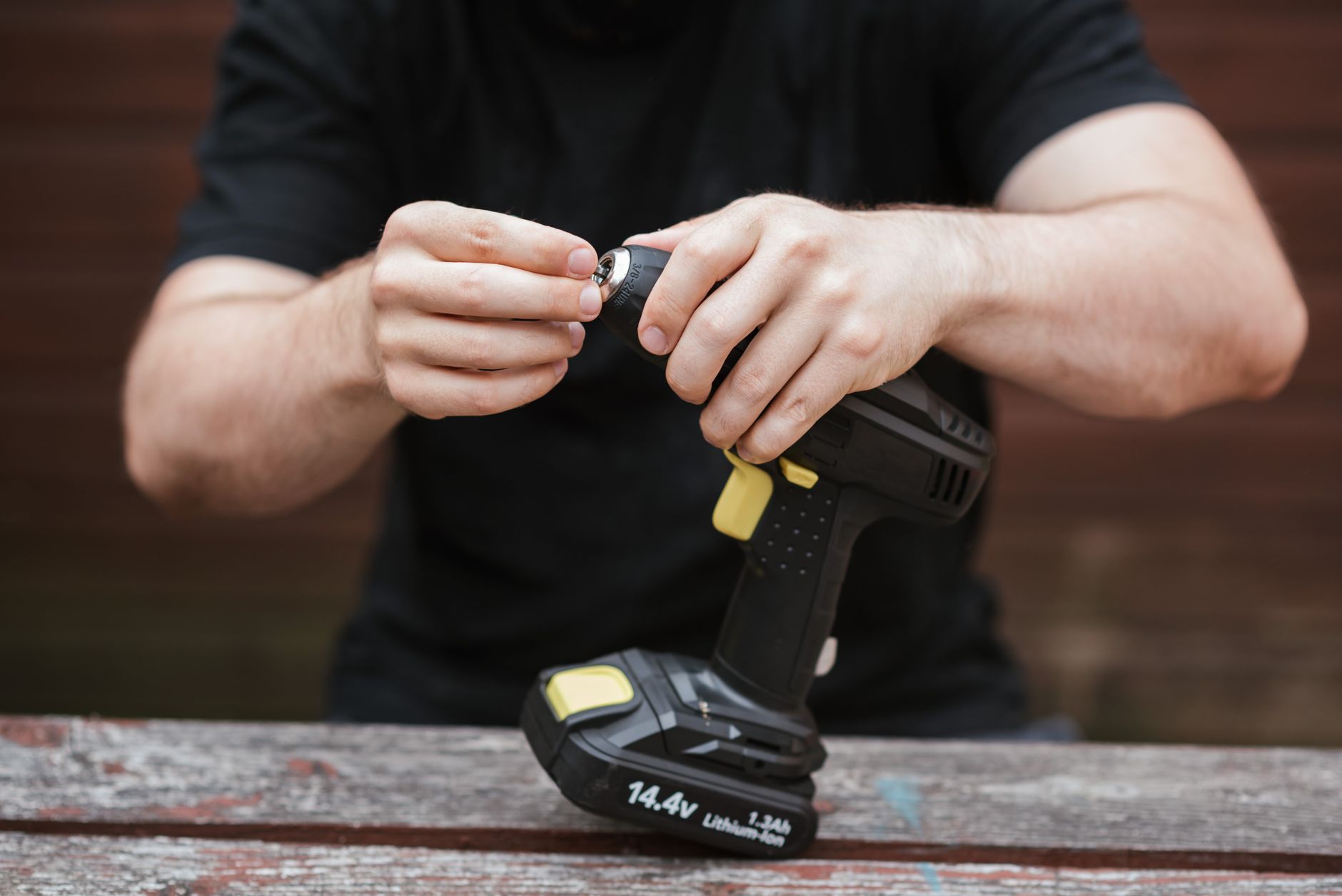
The chuck is where chips, wood dust, and metal grit cause the most trouble. Open the jaws fully, brush the teeth, then wipe the collar so the grip stays even when you tighten a long bit.
A small hand vacuum from DeWalt or Bosch style accessory kits is handy here because it reaches the space around the front end without crowding the mechanism. That one step does a lot for torque transfer and bit holding.
Once the front end is clean, the next question is whether any moving metal parts need a tiny amount of lubricant or should stay dry.
A clean exterior makes those moving points easier to judge, which is where caution matters most.
Lubrication Without Damaging Sensitive Parts
Lubrication only helps on approved moving metal parts, not on vents, switches, or battery electronics. The wrong oil in the wrong place turns dust into paste and can make the tool feel worse than before.
You only need a small amount, and only on the locations the manual names. That usually means limited contact points in the chuck or gearbox area, while the trigger, vent slots, housing seams, and battery contacts stay completely dry.
What Gets Lubed And What Stays Dry
Light lubrication belongs on the chuck threads or other moving metal contact points listed by the manufacturer. The trigger, vent slots, housing seams, and battery contacts should stay dry.
That split matters because oil attracts grit. Once grit mixes with lubricant, the surface acts like fine valve grinding compound, which increases wear instead of easing it.
Use the product named in the manual and only a small amount. A thin film on the right part is useful, while excess oil migrates into places that should stay clean.
WD-40 Has A Narrow Role
WD-40 is not a general cleaner-lubricant for cordless drill bodies or electronics. On the wrong surface, it can leave residue that holds dust, and it is poor practice near switches or battery terminals.
For stuck metal parts outside the electrical path, a small amount may loosen grime, but wipe it off completely. A dedicated machine oil or the maker’s recommended lubricant is the safer long-term choice for moving parts.
Even good lubricant can become trouble if it lingers where it should not, so storage habits matter next.
Battery Charging, Storage, And Long Idle Periods
Correct charger choice matters because the battery management system expects the charging profile the maker designed. A charger from the wrong platform can undercharge, overheat, or report the pack as healthy when it is not.
Lithium-ion cells age faster under heat and deep discharge. That chemistry does not like being stored full, empty, or hot for long stretches, so cordless drill battery care starts with the charger and ends with the shelf.
| Storage Window | Battery State | Place To Keep It |
|---|---|---|
| Overnight to 1 week | Moderate charge | Cool indoor shelf, away from sun |
| 1 week to 2 months | Not fully drained | Dry cabinet, away from heat and frost |
| 2 months or more | Stored partly charged | Stable room temperature, no vehicle trunk |
A battery left in a hot truck cab or on a frozen garage floor ages faster than one kept in a cool, dry place. That difference shows up later as shorter runtime, slower charging, and more sudden voltage sag under load.
Long Idle Periods Need A Light Touch
For storage over several weeks or months, avoid fully draining the pack and avoid leaving it topped off in heat. A pack that sits part charged in stable conditions tends to hold up better than one that is forced empty.
Before you put the drill away, inspect the battery contacts and housing for corrosion, looseness, or cracked plastic. A clean, dry pack is easier to trust when the next project starts.
Storage choices matter just as much for the tool body itself, because heat and moisture can undo good care even when the battery is fine.
Those same conditions can slowly punish internal components too, making the signs of wear worth watching closely.
Preventing Heat, Strain, And Premature Wear
The right torque setting and bit type do more for longevity than any amount of cleanup after the fact. A wood bit in wood, a metal bit in steel, and a masonry bit in block each put the motor under a different load.
You can prevent a lot of overheating by matching the bit, clutch, and feed pressure to the material. When the load stays predictable, the brushless motor, gearbox, and battery pack all run with less stress.
Match The Bit To The Material
Using the wrong bit forces the motor to work harder and raises the chance of overheating. A countersink bit in pine behaves nothing like a dull twist bit in steel, and the gearbox feels that difference immediately.
That is why the trigger speed and clutch setting matter. A lower setting gives you control in dense material, while an oversized bit in a hard surface can stall the tool and cook the pack.
Let Heat Tell You To Pause
Warm is normal. Too hot to hold comfortably is a signal to stop, set the tool down, and give the motor housing time to cool.
Heat buildup is a physical energy problem, not a mystery. Resistance in the windings, friction in the gearbox, and current draw from the battery all turn electrical power into heat, and heat accelerates wear on insulation, grease, and cell chemistry.
Stop Forcing The Tool
Forcing the drill into a stalled cut bends more than the bit. It loads the motor, drains the pack faster, and can chip gear teeth inside the gearbox.
A cleaner pilot hole, sharper bit, and steadier feed pressure usually solve the problem before strain shows up. That is the kind of habit that keeps cordless drill maintenance from becoming repair work.
When performance starts to slip anyway, the next clues usually show up in the chuck, the contacts, or the motor sound.
As strain builds, subtle changes in sound and feel often reveal which parts need a closer look.
Signals That Parts Need Inspection Or Replacement
Slip, noise, and weak output are the three clearest signs that something inside the tool has shifted. A drill rarely fails without warning, and the warning is usually visible in the chuck, contacts, or battery.
You can often trace the symptom to a specific part instead of guessing. Weak power points toward battery health or dirty contacts, while rough sound and heat usually point toward the gearbox or motor vents.
Mechanical Symptoms Show Up Fast
- Slipping bits mean the chuck jaws are worn, dirty, or not gripping the shank squarely.
- Loose jaws point to jaw wear or internal dirt that keeps the collar from closing evenly.
- Weak output can come from a tired battery pack or dirty contacts that limit current flow.
- Damaged terminals create heat, corrosion, and intermittent power under vibration.
These signs matter because they often start small. A bit that slips once today can turn into a rounded shank tomorrow, and that adds another worn part to the list.
Noise, Odor, And Trigger Changes Need Attention
Smoke, burning odor, or a rough grinding noise calls for a stop right away. Trigger inconsistency, where the motor cuts in and out, can point to switch wear or debris around the control path.
Fixtec Tools often frames these as fault signs, and that is the right mindset. Maintenance stops helping once a part is already failing under load, and that is the point where replacement beats another round of cleaning.
Replace Before The Tool Damages Itself
Worn brushes, tired batteries, and failing accessories should come out before they drag down the rest of the drill. On a brushed motor, worn carbon brushes reduce contact quality and weaken power delivery.
A brushless drill has no brushes to swap, but it still depends on healthy packs, clean airflow, and sound electronics. That is why the service path changes a little by design, yet the warning signs still look familiar.
Once you know what is failing, storage and service become easier to sort out, especially when a problem is beyond normal cleaning.
That distinction matters most when the fix is bigger than routine care and calls for a different plan.
Storage, Service, And The Limits Of DIY Care
Dry storage extends tool life more than any one cleaning trick. A case, shelf, or cabinet that stays away from damp concrete, direct sun, and temperature swings gives the drill and battery a better chance to stay stable.
A cardboard box in a garage is weaker protection than a sealed case in a closet, and that difference matters during long idle periods. Corrosion and condensation usually start in places you do not see, like the battery base or chuck collar.
| Routine Care | Service Or Warranty Care | What You See |
|---|---|---|
| Brush out dust | Replace internal switch parts | Trigger sticks or cuts out |
| Clean the chuck | Repair gearbox wear | Grinding or slipping under load |
| Check contacts | Battery diagnosis | Short runtime and heat at the pack |
| Inspect casing | Housing crack repair | Loose shell or exposed wiring |
Routine care covers dust, light lubrication, and storage habits. Repair service is for electrical faults, cracked housings, and parts that no longer hold adjustment, and that line matters because DIY cleaning cannot fix internal wear.
Brushed drills and brushless drills age a little differently. Brushed models wear carbon brushes and commutators over time, while brushless models shift more attention to battery health, cooling, and control electronics. Either way, a clean drill that rests in a dry place lasts longer than a neglected one, and the difference shows up in runtime, heat, and bit grip.
Those gains are the real payoff, and they come down to a few habits worth keeping in mind.
What To Remember
The drill that lasts is usually the one you keep clean, dry, and cool. Dust out the vents, seat the bit firmly, charge with the right charger, and store the battery away from heat and frost, because that steady routine protects the parts that fail earliest.
FAQ
How do you properly clean a cordless drill?
Use a dry microfiber cloth, a soft brush, and a small vacuum nozzle to remove dust from the housing, chuck jaws, vents, trigger area, and battery contacts. Keep liquid away from electronics, and avoid forcing debris deeper into seams with high-pressure air.
Which parts of a cordless drill should be lubricated?
Lubricate only the moving metal parts named by the manufacturer, such as specific chuck threads or contact points. Keep the trigger switch, vents, battery contacts, and housing seams dry because oil in those areas attracts grit and can cause sticky operation.
Can you use WD-40 on a cordless drill?
Spraying WD-40 on the drill body or inside the electronics can leave behind residue and trap more dust. It may loosen grime on a metal part outside the electrical path, but wipe it off fully and avoid the trigger, vents, and battery terminals.
How should a cordless drill battery be stored for later use?
Store the battery partly charged in a cool, dry place away from direct sun, frost, and vehicle trunks. Do not leave it fully drained or fully charged for long periods, and check the contacts before long storage.
What causes a cordless drill to lose power over time?
Weak power usually comes from a tired battery pack, dirty contacts, heat buildup, worn brushes in brushed motors, or internal gearbox strain. Dust, poor charging habits, and repeated overloads shorten runtime and make the drill feel weaker.
How often should cordless drill maintenance be done?
Clean after dusty jobs, inspect monthly during regular use, and check storage and battery health every season. Heavy drywall, sanding, or concrete work can justify same-day dust removal, while light cabinet work can follow a slower schedule.